🛒 Full Stack E-Commerce Application
A complete E-Commerce System built with a modern full-stack architecture using Android (Frontend App), React.js (Admin Panel), Spring Boot (Backend), and MySQL (Database). This project demonstrates a robust, scalable, and production-ready e-commerce ecosystem.
🧰 Tech Stack Overview
| Layer | Technology | Description |
|---|---|---|
| Frontend (User App) | Android (Java/Kotlin) | Customer-facing mobile app for browsing, cart, orders, and payments. |
| Frontend (Admin Panel) | React.js | Web dashboard for managing products, categories, and orders. |
| Backend (API) | Spring Boot (Java) | RESTful APIs for authentication, orders, and persistence. |
| Database | MySQL | Stores users, products, and transactions. |
| Payment Gateway | Razorpay | Secure and seamless checkout integration. |
| Authentication | JWT Tokens | Secure login/signup and API access. |
🏗️ System Architecture
All layers communicate securely via REST APIs. The backend validates requests and serves data to both the Android and React interfaces, maintaining scalability and data integrity.
📱 Android Application
✨ Features
- User Registration & Login (JWT based)
- Product Browsing (Category-wise)
- Add to Cart / Remove from Cart
- Order Placement and Tracking
- Razorpay Payment Integration
- OTP Verification for Login
- Responsive & Minimal UI
🧰 Tech Stack
- Language: Java / Kotlin
- Architecture: MVVM + Repository Pattern
- Networking: Retrofit2 + Gson
- Async: WorkManager / Coroutines
- Local Cache: Room Database
- Dependency Injection: Dagger / Hilt
- UI: Material Design Components
🖼️ Screens
🖼️ Screens
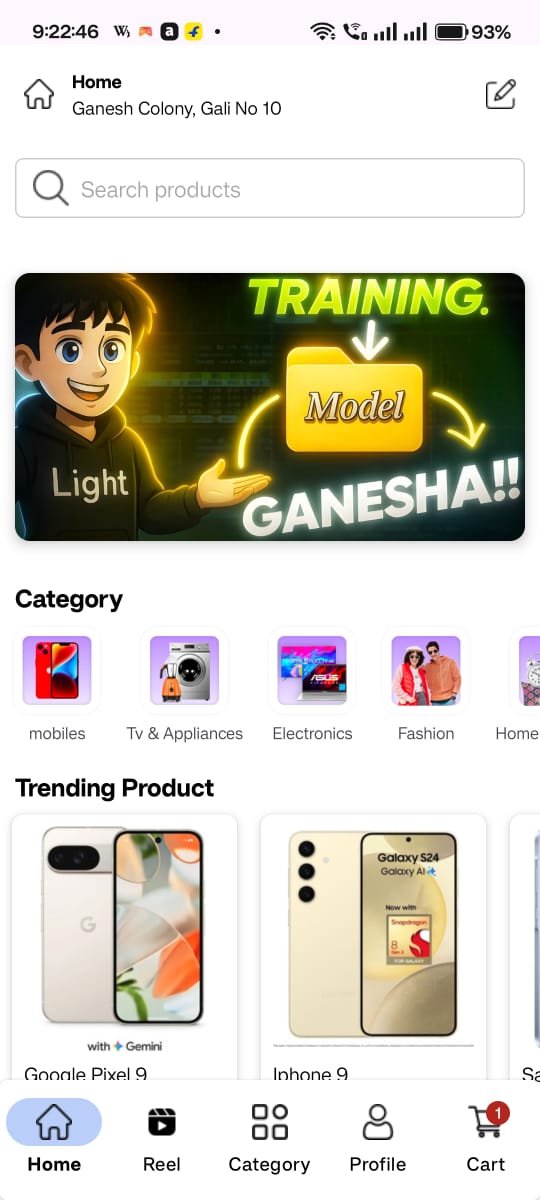
Home Screen
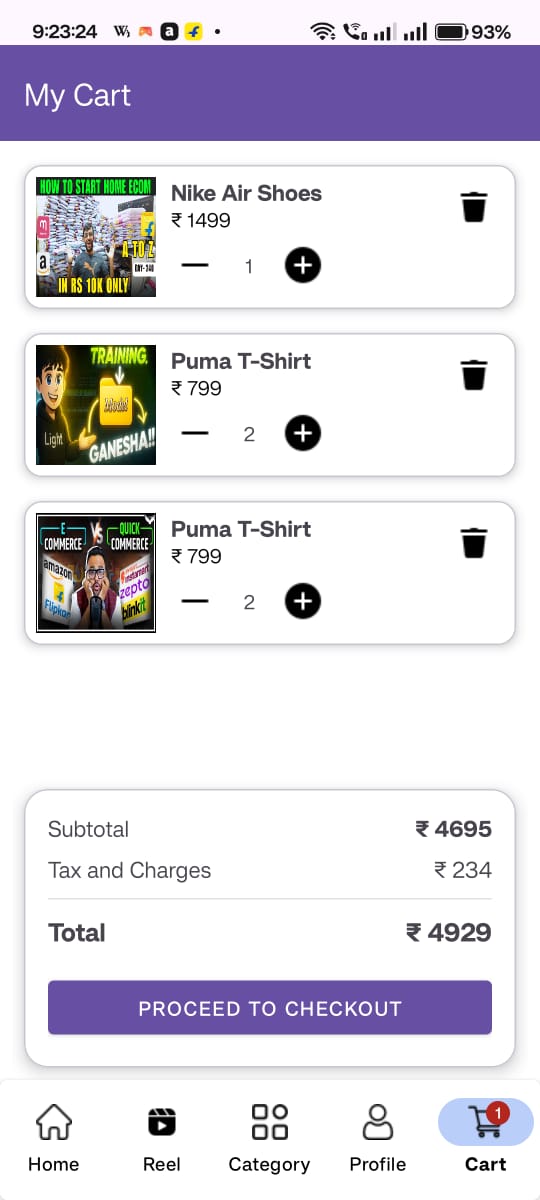
Add to Cart
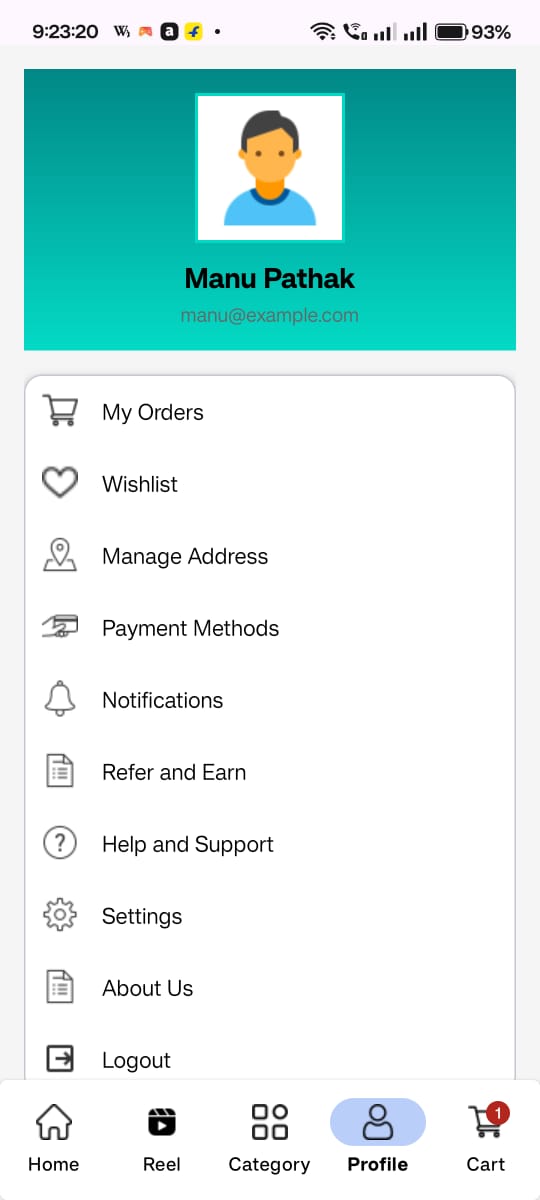
Profile
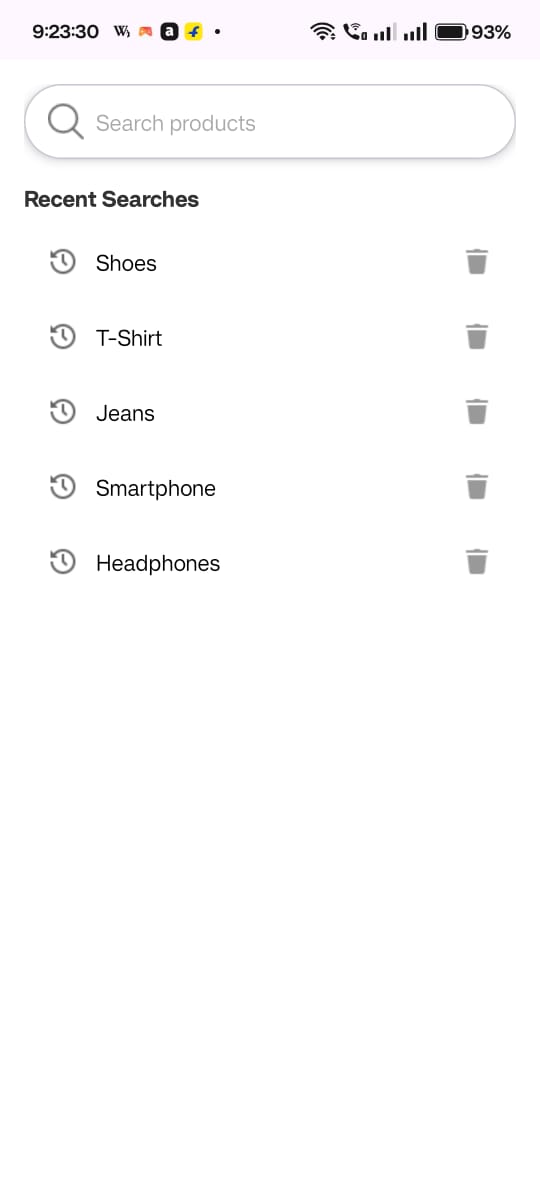
Searchbar
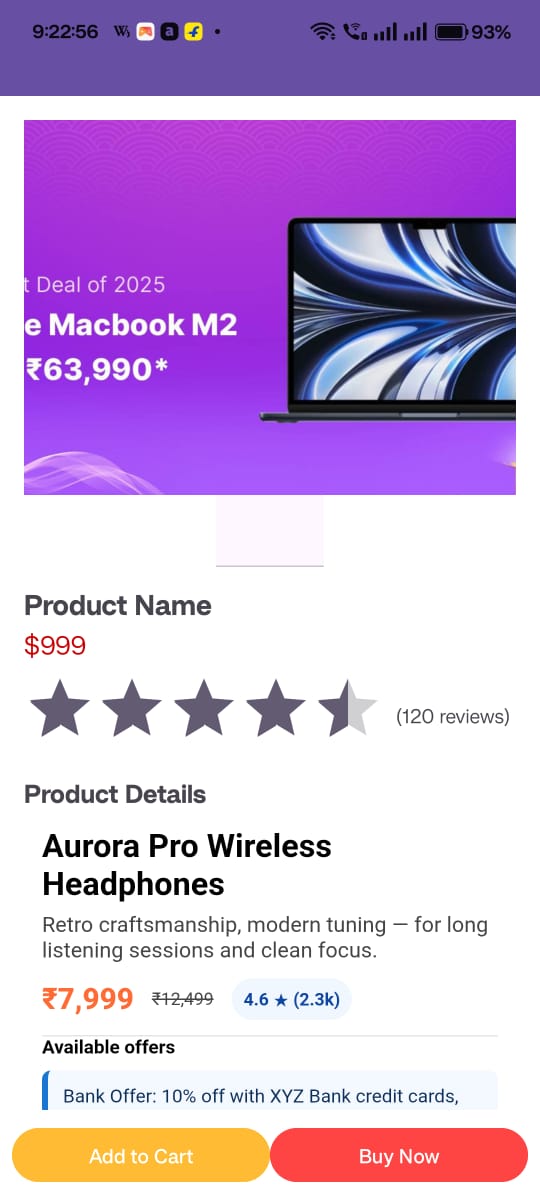
Product
🧑💼 React Admin Panel
The Admin Dashboard allows store owners to manage products, categories, and orders efficiently.
✨ Features
- Admin Authentication
- Product CRUD Operations
- Category Management
- Order Overview (Pending / Completed / Cancelled)
- Sales Insights Dashboard
- API Integration with Spring Boot backend
🧰 Tech Stack
- React.js
- Axios
- React Router DOM
- Tailwind CSS / Material UI
- Chart.js / Recharts
- TanStack Query
⚙️ Backend (Spring Boot)
The backend manages database operations, handles authentication, and integrates payment & media services.
- User & Admin Authentication (JWT)
- Product, Category & Order APIs
- OTP Login Verification
- Razorpay Payment Integration
- Exception Handling & Validation
- DTO Pattern for Clean Data Handling
📁 Project Structure
src/
├── config/
│   ├── CorsConfig.java
│   ├── MainConfig.java
│   └── BotConfig.java
├── constants/
│   ├── APIENDPOINTS.java
│   ├── ERRORCODE.java
│   ├── Status.java
│   └── UserType.java
├── controller/
│   ├── AuthController.java
│   ├── ProductController.java
│   ├── OrderController.java
│   └── PaymentController.java
├── dto/
│   ├── requestDTO/
│   └── responseDTO/
├── service/
├── repo/
├── util/
└── paymenthandler/
⚙️ Setup Instructions
🔹 Prerequisites
- JDK 17+
- Node.js 18+
- MySQL 8+
- Android Studio
- Maven or Gradle
🔹 Backend Setup
cd EcommAPI/EcommerceAPI_/
mvn clean install
mvn spring-boot:run
🔹 Database Setup
CREATE DATABASE ecommerce_app;
🔹 React Admin Setup
cd ecoomweb/
npm install
npm start
🔒 Security
- JWT Authentication & Authorization
- Secure Password Hashing (BCrypt)
- Role-based Access Control
- Input Validation & Exception Handling
- CORS Configuration for multi-origin access
💳 Payment Gateway Integration
- Razorpay SDK integrated in Android app
- Secure verification via Spring Boot backend
- Handles success/failure callbacks gracefully
📊 Future Improvements
- Inventory Management
- AI-based Product Recommendations
- Multi-vendor Marketplace
- Machine Learning Integrations
👨💻 Author: Manu Pathak
Full Stack Developer | Tech Explorer